
How to Replace Status Meetings With Async Video: A Product Updates Playbook
Sara
Author
Introduction
An async product updates playbook replaces recurring status meetings with a repeatable weekly video workflow. To share async product updates with video, you record one short update, edit it once, then send a single link with a clear summary and next steps. Boom helps teams do that with free screen recording, video editing, captions, and 50+ language voice dubbing, so product, engineering, and customer-facing teams can share updates without pulling everyone into a meeting.
What is an async product updates playbook?
An async product updates playbook is a standard process for recording, packaging, and sharing product status updates on video instead of live calls. It works best when the same format is used every week, because stakeholders know where to find progress, risks, decisions, and asks without waiting for a meeting.
The playbook should answer four questions in every update: what shipped, what is next, what is blocked, and what needs a decision. That structure turns a loose update into a reusable communication asset, which is exactly why async video works well for product teams, engineering leads, and customer success managers. Boom is built for this kind of workflow, with screen recording, editing, captions, and instant sharing through a link.
The best async updates are short, visual, and predictable. They should show the product, not just describe it, because a quick screen walkthrough is easier to scan than a long email thread or a live meeting recap.
Key Points
- Use the same update format every week so readers know where to find decisions and blockers.
- A strong update answers what shipped, what is next, what is blocked, and what needs a decision.
- Async video works well because stakeholders can watch on their own schedule.
How do you build a weekly product update workflow?
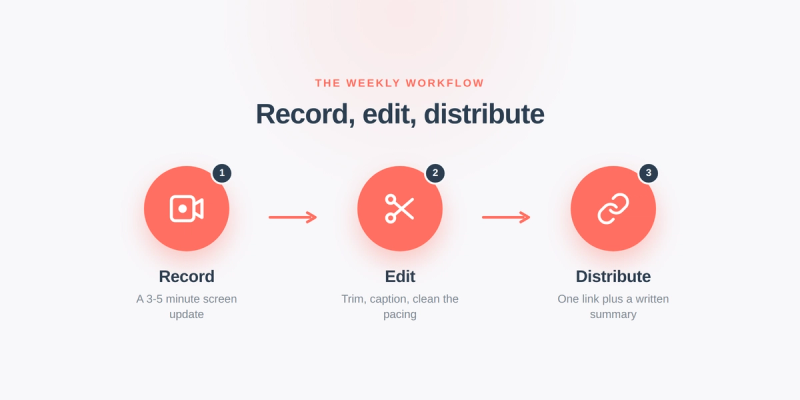
A weekly product update workflow should follow the same three stages every time: record, edit, and distribute. That keeps the process lightweight enough to replace a recurring meeting while still producing a polished artifact people can reuse.
Start by recording a 3-5 minute screen update with your face camera on or off, depending on the audience. Walk through the product, roadmap board, release notes, or customer issue list in the same order each week so the update feels familiar. Then trim the recording, add captions, and clean up the pacing so viewers can watch quickly and search the video later. Boom's screen recording, editing, captions, and sharing on any device make that workflow practical for distributed teams.
Finish by distributing a single link in the places your team already works, such as Slack, email, or your project hub. Include a short written summary above the video, because many stakeholders want the headline before they open the recording.
Key Points
- The weekly workflow has three stages: record, edit, and distribute.
- Keep the recording to 3-5 minutes when possible.
- Always pair the video with a short written summary.
What should a product update template include?
A product update template should be structured enough to scan in under a minute and detailed enough to answer follow-up questions. The most useful format is a simple five-part outline: headline, shipped items, in-progress work, risks or blockers, and asks.
Here is a practical template you can reuse every week:
1. Headline: one sentence that summarizes the week.
2. Shipped: 2-4 bullets or a quick screen walkthrough of completed work.
3. In progress: the next milestone, sprint goal, or release window.
4. Blockers: anything that needs help, approval, or cross-functional input.
5. Asks: the exact decision, review, or action you need from viewers.
For release notes, keep the language customer-friendly and focus on what changed, why it matters, and who it affects. For stakeholder updates, keep the tone more operational and include risks, dependencies, and timing. For product demos, show the user flow first, then explain the business impact second. That balance makes the same update useful for leadership, engineering, and customer success without rewriting it three different ways.
Key Points
- Use five parts: headline, shipped, in progress, blockers, and asks.
- Release notes should be customer-friendly and outcome-focused.
- Stakeholder updates should emphasize risks, dependencies, and timing.
Sample scripts for product managers, engineering leads, and customer success
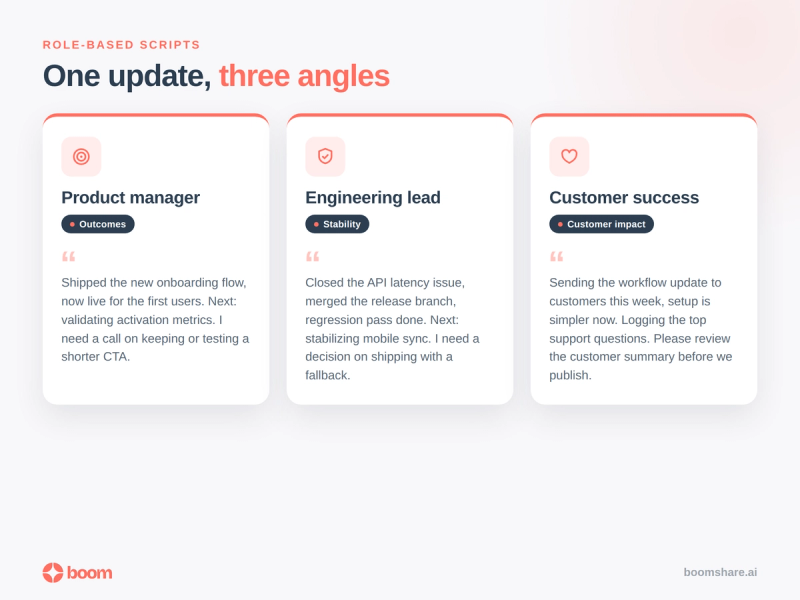
Each role should speak to the same weekly update from a different angle, because stakeholders care about different details. The fastest way to keep the message consistent is to use a role-based script and record one take for each audience segment.
Product manager script: "This week we shipped the new onboarding flow, and it is now live for the first group of users. Next week we are validating activation metrics and tightening the handoff from signup to first action. The main risk is the dependency on final copy approval, and I need feedback on whether we should keep the current CTA or test a shorter version."
Engineering lead script: "We closed the API latency issue, merged the release branch, and finished the regression pass. The next priority is stabilizing the error path in mobile sync and confirming the rollout plan. The blocker is a third-party timeout that still appears in edge cases, so I need a decision on whether to ship with a fallback or delay one more day."
Customer success manager script: "We are sending the new workflow update to customers this week, and the main change is easier setup and fewer manual steps. I am also capturing the top support questions so product can see where users get stuck. The ask is for the team to review the customer-facing summary before we publish it."
Key Points
- Use role-based scripts so each audience gets the same facts in a different frame.
- Product managers should focus on outcomes, validation, and decisions.
- Engineering leads should focus on stability, rollout, and blockers.
How do you replace status meetings with async video?
You replace status meetings by making async video the default source of truth for weekly progress. The rule is simple: if the update can be recorded once and reviewed later, it should not become a live meeting.
Use a repeatable cadence, such as every Tuesday morning for recording and every Tuesday afternoon for distribution. Keep the audience narrow, send the update only to people who need it, and ask viewers to reply in-thread or comment asynchronously instead of booking time to discuss the same information again. That keeps the meeting from coming back through the back door.
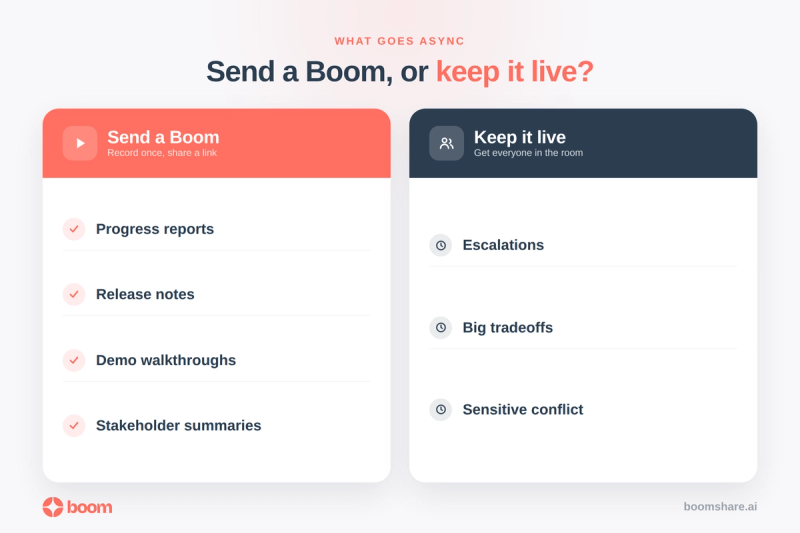
The strongest teams also define what does not belong in the video. Escalations, decisions with major tradeoffs, and sensitive conflict still deserve live discussion. Everything else, especially progress reports, release notes, demo walkthroughs, and stakeholder summaries, belongs in the async update. Boom is designed for recording, editing, and sharing short videos that replace repetitive meetings.
Key Points
- Make async video the default for updates that do not require live debate.
- Use a fixed weekly cadence so the process becomes routine.
- Reserve live meetings for escalations, tradeoffs, and sensitive decisions.
What does a good distribution checklist look like?
A distribution checklist keeps the update from getting lost after it is recorded. The goal is to make the video easy to find, easy to scan, and easy to act on.
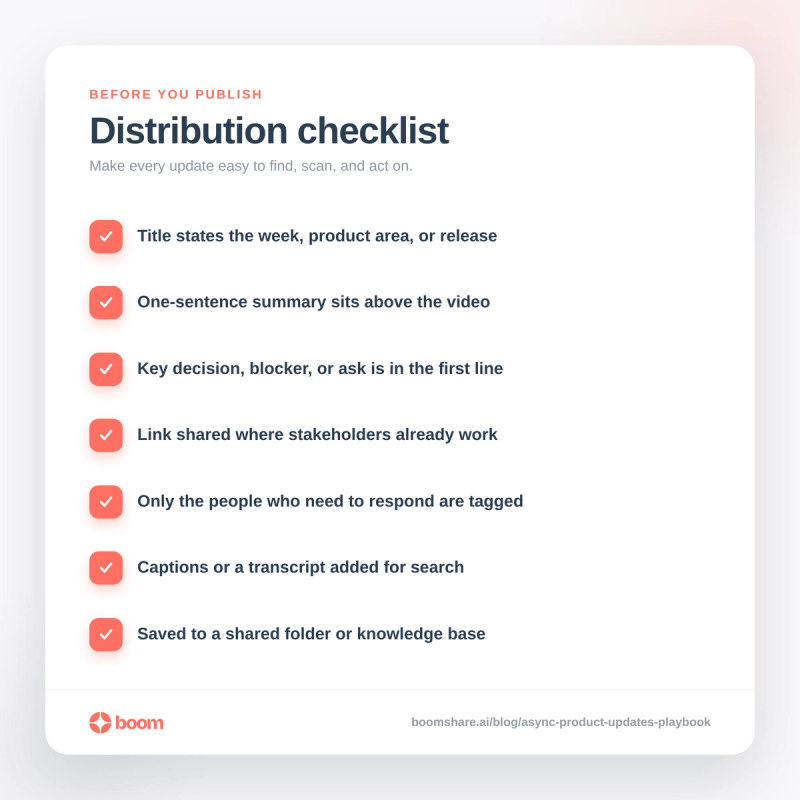
Use this checklist before you publish:
- Confirm the title clearly states the week, product area, or release.
- Add a one-sentence summary above the video.
- Include the key decision, blocker, or ask in the first line.
- Share the link in the channel where stakeholders already work.
- Tag only the people who need to respond.
- Add captions or a transcript for accessibility and search.
- Save the update in a shared folder or knowledge base for later reference.
This checklist matters because async updates are only useful when they are retrievable. A clean title, short summary, and searchable captions make the difference between a one-off video and a durable operating habit.
Key Points
- A distribution checklist should make the update easy to find, scan, and act on.
- Always include a short summary above the video.
- Captions or a transcript improve accessibility and search.
FAQ: How do teams use async product updates in practice?
How do you share async product updates with video?
Record a short weekly update, trim it for clarity, add captions, and send one link with a concise written summary. The best updates are easy to watch quickly and easy to revisit later.
How do you replace status meetings with async video?
Use video as the default format for routine progress updates, release notes, and stakeholder check-ins. Keep live meetings for decisions that need debate, but move everything else into a repeatable recorded workflow.
What should be in a weekly product update video?
Include what shipped, what is next, what is blocked, and what needs a decision. If the audience is customer-facing, add a short explanation of why the change matters to users.
How long should an async product update be?
Shorter is better, especially for weekly status updates. A 3-5 minute recording is usually enough if the structure is tight and the visuals do the heavy lifting.
Can one video work for product, engineering, and customer success?
Yes, if the core facts stay the same and each role gets a tailored script or section. Product can cover outcomes, engineering can cover execution, and customer success can cover customer impact in the same weekly update.
Key Points
- Routine updates work best as short recorded videos with captions and a written summary.
- Use video for progress, release notes, and check-ins, not for every decision.
- One weekly update can serve multiple teams if the script is tailored by role.
Conclusion
An async product updates playbook works when it is simple, repeatable, and easy to share. Boom gives teams a practical way to record weekly updates, edit them fast, and distribute them without adding another meeting to the calendar. If you standardize the template, keep the video short, and route the update to the right audience, your team gets clearer communication and fewer interruptions.
Key Takeaways
- An async product updates playbook replaces recurring status meetings with one repeatable weekly video workflow.
- The best update format answers what shipped, what is next, what is blocked, and what needs a decision.
- A strong weekly workflow has three steps: record, edit, and distribute.
- Release notes, product demos, and stakeholder updates can all use the same core template with different emphasis.
- A 3-5 minute video is usually enough for a weekly product update if the structure is tight.
- Captions, a short written summary, and a clear title make async updates easier to scan and reuse.
Related Topics
- The Complete Guide to Async Video Communication
- How to Reduce Meeting Load for Engineering Teams with Async Video
- Boom vs Loom for HR: The Best Async Video Alternative
- Top Async Video Features for Freelancers and Teams
- How to Create and Share a Reporting Video with Boom, Step by Step