
7 Different Kinds of Videos and How to Use Them Effectively
Discover 7 different kinds of videos and learn how each can boost your communication, teaching, and project impact with actionable tips for real-world use.
Aniket
Author
7 Different Kinds of Videos and How to Use Them Effectively
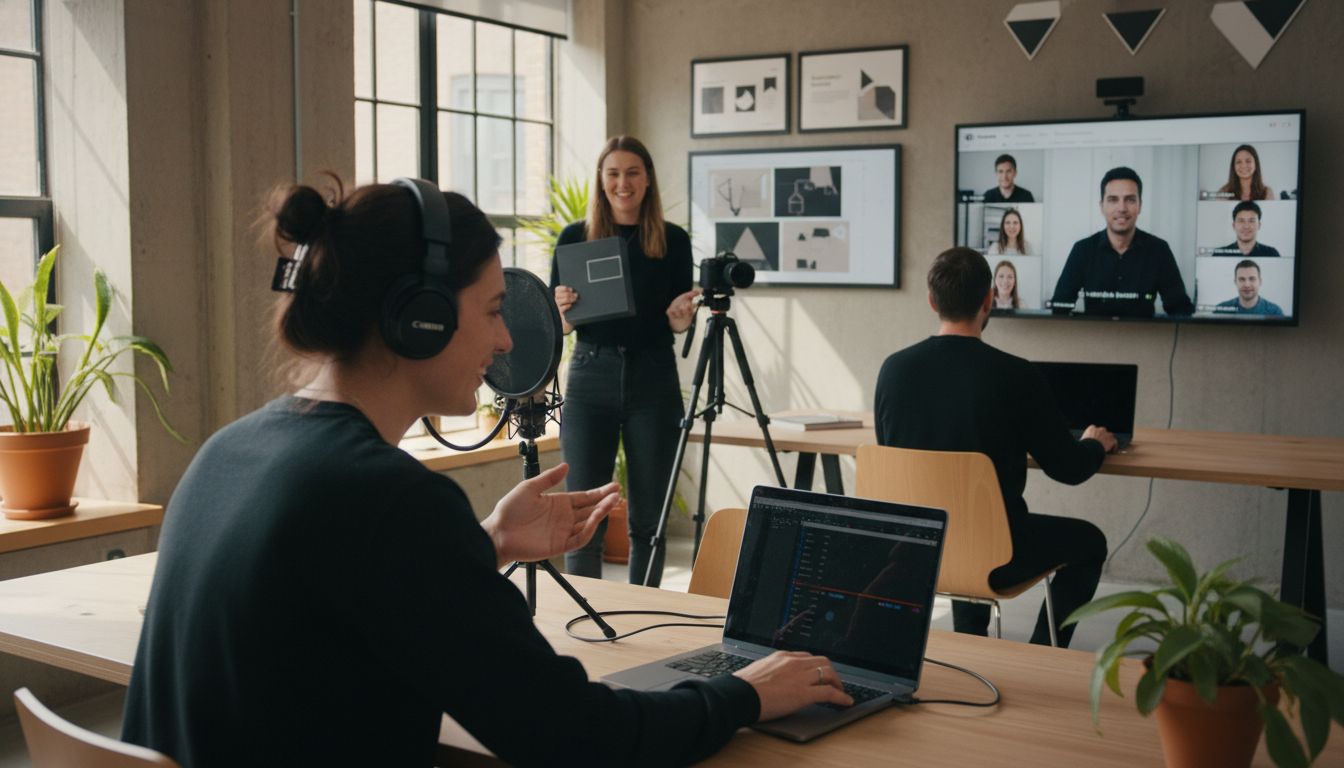
Complex topics can leave even the smartest audiences scratching their heads. Yet instructional videos improve comprehension without direct guidance according to recent research. When you break down dense information into clear visual stories, viewers stay engaged and ideas finally start to click. This guide uncovers practical video styles that turn your most challenging messages into content your audience will actually understand and remember.
Table of Contents
Quick Summary
| Takeaway | Explanation |
|---|---|
| 1. Simplify complex ideas through explainer videos | Use clear narratives and visuals to effectively communicate intricate concepts to your audience. |
| 2. Engage viewers with tutorial videos | Structure tutorials with chronological steps and clear visuals to enhance learning for various audience levels. |
| 3. Employ feedback videos for constructive communication | Utilize visual elements and detailed explanations in feedback videos to foster collaboration and understanding. |
| 4. Showcase products effectively with demo videos | Highlight practical use cases and engage viewers emotionally to illustrate how features benefit users. |
| 5. Create impactful pitch videos to inspire action | Focus on storytelling to present ideas concisely, addressing stakeholder needs and motivating them to support initiatives. |
1. Explainer Videos for Simplifying Complex Ideas
- Explainer Videos For Simplifying Complex Ideas
- Tutorial Videos For Step-By-Step Learning
- Feedback And Review Videos For Clear Collaboration
- Demo Videos To Showcase Products And Features
- Pitch Videos For Presenting Ideas To Stakeholders
- Update And Report Videos For Team Communication
- Intro And Welcome Videos To Engage Your Audience
Explainer videos are your secret weapon for transforming complicated concepts into digestible visual stories. These short engaging videos break down intricate ideas into clear step by step narratives that help your audience understand complex topics quickly.
Research from the StepFormer Model reveals that well structured instructional videos can help viewers comprehend complicated procedures without human supervision. By leveraging strategic visualization techniques your explainer video can guide viewers through intricate processes with remarkable clarity.
Key Elements of Powerful Explainer Videos:
- Clear narrative structure
- Visual storytelling techniques
- Simplified language
- Engaging graphics and animations
The goal is transforming dense information into an accessible journey. Think of explainer videos like translating technical blueprints into an intuitive map. You want viewers to feel they are discovering something fascinating rather than being overwhelmed by complexity.
When creating your explainer video focus on three core principles: simplification, engagement and memorability. Use metaphors that connect abstract concepts to familiar experiences. Break down technical steps into visual sequences that feel natural and intuitive.
For maximum impact reference the GUIDE dataset, which demonstrates how strategic content structuring across instructional videos can dramatically improve viewer comprehension. Your explainer video should feel less like a lecture and more like an exciting discovery journey.
Practical implementation means understanding your audience. Who are they? What background knowledge do they have? Tailor your visual language and narrative complexity accordingly. A technical audience might appreciate more nuanced details while general viewers need broader conceptual understanding.
Remember the ultimate goal: helping viewers go from confusion to clarity in minutes. When done right an explainer video does not just communicate information it transforms understanding.
2. Tutorial Videos for Step-by-Step Learning
Tutorial videos are powerful learning tools that transform complex processes into manageable learning experiences. They break down intricate tasks into digestible sequential steps anyone can follow.
Research from the VideoMix system demonstrates how aggregating multiple tutorial approaches can enhance learning outcomes by presenting diverse perspectives on a single task. This means viewers get comprehensive understanding through varied visual explanations.
Core Components of Effective Tutorial Videos:
- Clear chronological progression
- Detailed visual demonstrations
- Concise verbal instructions
- Practical real world context
The magic of tutorial videos lies in their ability to make learning feel accessible. Just like Khan Academy has proven with its extensive educational library learning becomes enjoyable when complex concepts are presented systematically.
When crafting your tutorial video consider the viewer experience. Start with a clear introduction explaining what viewers will learn. Break down each step methodically using visual cues and verbal guidance. Anticipate potential confusion points and address them proactively.
Practical implementation requires understanding your audience. Are they complete beginners or intermediate learners? Adjust your tutorial complexity accordingly. Professional tutorial videos do not just demonstrate steps they create confidence in the learner.
Remember that great tutorial videos tell a story. Your goal is transforming uncertainty into competence. Each video should leave viewers feeling empowered and excited about their newfound skills.
Your tutorial video is more than an instructional tool. It is a bridge between knowledge and practical application transforming abstract information into actionable learning.
3. Feedback and Review Videos for Clear Collaboration
Feedback and review videos are transformative communication tools that bridge understanding gaps in professional and educational environments. They provide a visual medium for detailed contextual commentary that written feedback cannot capture.
Research from the Collaborative Weakly Supervised Video Correlation Learning framework demonstrates how strategic video feedback can dramatically improve communication and learning outcomes. The visual nature of these videos allows for nuanced explanation that goes far beyond traditional text based reviews.
Essential Elements of Effective Feedback Videos:
- Direct visual demonstration
- Clear verbal explanations
- Specific actionable recommendations
- Contextual background information
As Video Lesson research indicates these videos serve multiple purposes. They are not just critique tools but powerful learning mechanisms that allow recipients to revisit and deeply understand feedback.
When creating feedback videos focus on constructive communication. Start with positive observations before diving into areas of improvement. Use screen recording to highlight specific points. Show rather than simply tell what needs adjustment.
Practical implementation means being intentional about your approach. Think of your feedback video as a personalized coaching session. Your goal is not just to point out errors but to guide growth and understanding.
The most powerful feedback videos create a sense of collaboration. They transform critique from a potentially negative experience into an opportunity for mutual learning and development.
Remember that great feedback videos are about empowerment. Your viewers should feel motivated and equipped to make improvements after watching your video.
4. Demo Videos to Showcase Products and Features
Demo videos are powerful storytelling tools that transform product features from abstract concepts into tangible experiences. They provide potential customers with an immersive visual journey through your product capabilities.
Platforms like HowTo.tv have mastered the art of instructional demonstration revealing how effective visual storytelling can be in showcasing product functionality. By allowing viewers to see exactly how a product works these videos bridge the gap between curiosity and understanding.
Critical Components of Compelling Demo Videos:
- Clear visual narrative
- Authentic product representation
- Practical use case scenarios
- Engaging presentation style
Tuitionkit demonstrates how structured video tutorials can effectively communicate complex features through strategic visual storytelling. The key is making your demonstration feel natural and intuitive.
When crafting your demo video focus on solving viewer problems. Do not just list features explain how those features make life easier. Walk viewers through real world scenarios where your product becomes a game changing solution.
Practical implementation means understanding your audience deeply. What challenges are they facing? How does your product uniquely address those challenges? Your demo video should feel like a personalized solution rather than a generic sales pitch.
Remember that great demo videos do more than showcase products. They create emotional connections. They transform technical specifications into stories of potential transformation.
Your ultimate goal is helping viewers imagine themselves successfully using your product. A powerful demo video does not just explain what something does it illustrates how it can improve lives.
5. Pitch Videos for Presenting Ideas to Stakeholders
Pitch videos are strategic communication tools that transform complex ideas into compelling narratives designed to capture stakeholder attention and drive decision making. They are the modern equivalent of a boardroom presentation compressed into a powerful visual story.
Academic Earth demonstrates how effectively ideas can be presented to global audiences through video platforms. The key is creating a narrative that resonates intellectually and emotionally with your audience.
Essential Elements of Compelling Pitch Videos:
- Clear problem statement
- Innovative solution outline
- Quantifiable potential impact
- Concise and engaging storytelling
Platforms like Docsity highlight the growing importance of visual content sharing in presenting ideas. Your pitch video should feel like a conversation not a monologue.
When crafting your pitch video focus on strategic storytelling. Start with the problem your idea solves. Create tension. Then reveal your solution as the transformative answer. Use data visualization to make your points memorable and credible.
Practical implementation means understanding your stakeholders deeply. What motivates them? What challenges keep them up at night? Your pitch video should feel like a personalized solution not a generic presentation.
Remember that great pitch videos do more than inform. They inspire action. They transform abstract concepts into tangible opportunities that stakeholders can see feel and believe in.
Your ultimate goal is turning skeptical listeners into passionate supporters. A powerful pitch video does not just explain an idea it makes people want to be part of making that idea a reality.
6. Update and Report Videos for Team Communication
Update and report videos transform traditional communication methods by delivering complex information through engaging visual storytelling. They replace monotonous text heavy reports with dynamic narratives that capture attention and enhance understanding.
Video lessons demonstrate how visual communication can revolutionize team updates. By presenting information through video teams can create more memorable and impactful reporting experiences that go beyond traditional written documentation.
Key Components of Effective Update Videos:
- Clear visual data representation
- Concise narrative structure
- Engaging presentation style
- Actionable insights
Docsity highlights how video platforms enable seamless content sharing making team communication more interactive and accessible. These videos transform reporting from a mundane task into an opportunity for genuine connection.
When creating update and report videos focus on storytelling with substance. Start with the most critical information. Use visual aids like charts graphs and screen recordings to make complex data digestible. Your goal is to inform not overwhelm.
Practical implementation means understanding your teams communication preferences. Some teams prefer detailed breakdowns while others want high level overviews. Adapt your video style to match your audiences needs and attention span.
Remember that great update videos are not just about sharing information they are about creating shared understanding. They should leave viewers feeling informed motivated and aligned with team goals.
Your ultimate objective is turning routine reporting into an engaging narrative that keeps your team connected inspired and moving forward together.
7. Intro and Welcome Videos to Engage Your Audience
Intro and welcome videos are your digital handshake creating a powerful first impression that sets the tone for future interactions. They transform cold introductions into warm personal connections that invite viewers into your world.
Academic Earth demonstrates how strategic introductory videos can immediately capture audience attention by providing a compelling overview of what viewers can expect. These videos are not just introductions they are invitations to explore and engage.
Essential Elements of Captivating Welcome Videos:
- Authentic personal tone
- Clear value proposition
- Engaging visual storytelling
- Immediate emotional connection
Khan Academy exemplifies how welcome videos can guide users through a platforms features while building excitement and anticipation. The goal is making viewers feel welcomed informed and motivated.
When creating your intro video focus on human connection. Share your story. Explain your mission. Help viewers understand why they should care. Your video should feel like a conversation not a presentation.
Practical implementation means understanding your specific audience. What are their hopes fears and aspirations? Craft a narrative that speaks directly to their needs and desires. Your welcome video should feel like it was made specifically for them.
Remember that great intro videos do more than introduce they inspire. They transform strangers into potential supporters collaborators and fans.
Your ultimate objective is creating an instant emotional resonance that makes viewers think yes this is exactly what I was looking for.
Below is a comprehensive table summarizing the different types of videos discussed in the article and their key components, strategies, and goals.
| **Video Type** | **Key Components/Strategies** | **Goals** |
|---|---|---|
| Explainer Videos | Clear narrative structure, visual storytelling, simplified language, engaging graphics | Transform complex ideas into clear, engaging narratives |
| Tutorial Videos | Clear progression, detailed demonstrations, concise verbal instructions | Transform processes into manageable steps, enhance learning |
| Feedback Videos | Visual demonstration, clear explanations, actionable recommendations | Bridge understanding gaps, improve communication |
| Demo Videos | Authentic representation, practical scenarios, engaging style | Showcase products, create emotional connections |
| Pitch Videos | Problem statement, innovative solutions, impactful storytelling | Capture attention, inspire action |
| Update and Report Videos | Visual data representation, concise narrative, actionable insights | Enhance team communication, create shared understanding |
| Intro and Welcome Videos | Authentic tone, clear value proposition, emotional connection | Make strong first impression, inspire engagement |
Transform Your Video Strategy with AI-Powered Asynchronous Tools
The article highlights the challenge of creating various types of videos that are clear, engaging, and effective without wasting time on scheduling or overwhelming viewers. Whether it is explainer videos that simplify complex ideas or pitch videos that inspire action, the process demands clarity, personalization, and effortless collaboration. These goals can often feel like a heavy burden when juggling tight deadlines and remote teamwork.
Boom understands these struggles. Our platform empowers you to create stunning, on-brand videos for any purpose including tutorials, updates, demos, and feedback — all without the need for meetings. With AI-generated scripting, voiceovers, and instant branding you can focus on transforming your complex ideas into captivating visual stories just like the article suggests. Imagine replacing cumbersome live calls with polished async videos that save you hours while boosting impact and clarity.
Ready to earn time back and elevate every kind of video you produce? Discover how Boom can revolutionize your video creation process today.
Create, share, and perfect your videos with ease. Visit the Boom landing page to start for free right now. Unlock effortless async collaboration on feedback and review videos or take your pitch and demo videos to a new level. Your next video is one click away from transforming confusion into clarity.
Frequently Asked Questions
What are the different kinds of videos I can use to communicate complex ideas?
Explainer, tutorial, feedback, demo, pitch, update, and welcome videos are the seven types that effectively convey complex ideas. Consider what information you need to share and choose the video type that aligns with your audience's needs and learning preferences.
How can I create an effective explainer video for my audience?
To create an effective explainer video, focus on clear narrative structure, simplified language, and engaging graphics. Start by identifying the key concept you wish to explain and develop a storyline that guides viewers through the information smoothly.
What should I include in a tutorial video to ensure it's easy to follow?
An effective tutorial video should include clear chronological progression of steps, detailed visual demonstrations, and concise verbal instructions. Break each task into manageable steps so viewers can easily follow along and recreate the process in real-time.
How can feedback and review videos enhance team communication?
Feedback and review videos can enhance communication by providing visual context for critiques, which helps to clarify complex feedback. Use screen recordings and specific examples to guide your viewers, making feedback feel more collaborative and constructive.
What are key components to include in a demo video to attract potential customers?
To attract potential customers, ensure your demo video features a compelling visual narrative, authentic product representation, and practical use case scenarios. Focus on showcasing how your product can solve real-life problems that your audience faces.
How do I craft a pitch video that resonates with stakeholders?
To craft a pitch video that resonates with stakeholders, start with a clear problem statement followed by your innovative solution and its potential impact. Use engaging storytelling techniques and visualize data to enhance understanding and maintain interest throughout the presentation.
Recommended
About the Author
Aniket
Software Engineer.